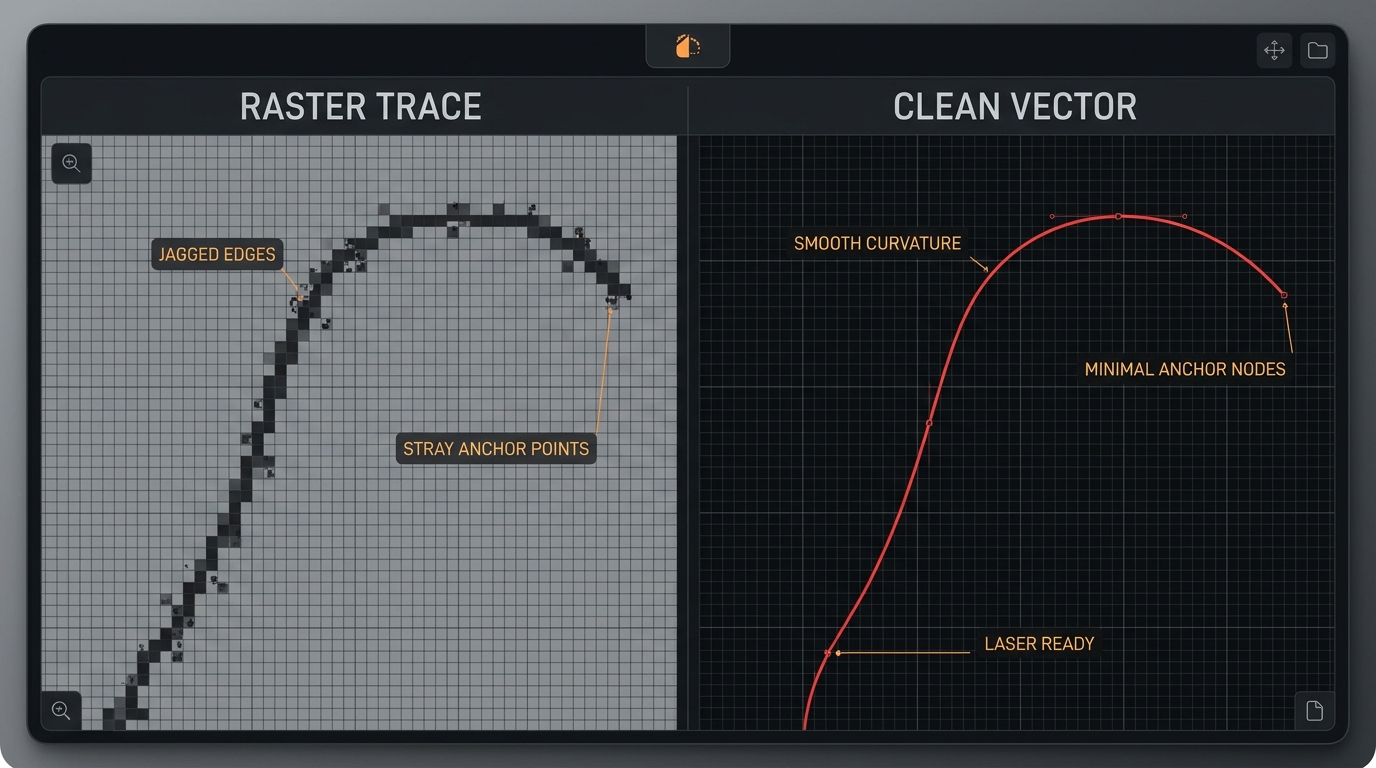
The Painful Reality of Auto-Tracing Raster Bitmaps
Every laser cutter operator has tried it: a client sends a pixelated JPEG logo or a Pinterest image, and you import it into Inkscape (Trace Bitmap / Potrace) or Adobe Illustrator (Image Trace). You click trace, export the DXF, send it to LightBurn, and hit start.
What happens next is a disaster. The laser head begins jerking violently across the bed, making agonizing shuddering sounds. Flames flare up because the laser cuts the exact same contour twice in rapid succession. When the job finishes, delicate parts fall apart into useless charred charcoal crumbs.
Generate Truly Closed Vectors with LaserAI
Skip the headache of manual bezier pen tracing. 0Machine LaserAI generates native, manifold vector contours with separate Cut and Engrave layers.
Launch LaserAI Prompt-to-Vector →The 4 Fatal Flaws of Traced Bitmaps
1. Double Cut Lines (The Thickness Trap)
In graphic design, a line has visual thickness (e.g. 2pt black stroke). In laser manufacturing, a cut line has zero theoretical thickness—it is simply a toolpath. An auto-tracer traces the boundary of the stroke, turning a single intended cut line into two parallel cut lines spaced 0.2mm apart. The laser cuts twice, incinerating the wood between them.
2. Open Contours and Disconnected Nodes
Tracing algorithms approximate pixel gradients using multiple independent line segments. In LightBurn, if two vertices are separated by even 0.005mm, the contour is considered "open." Open shapes cannot be offset, cannot be filled with scan engraving, and cause machine pauses.
3. Node Bloat and Controller Choke
A simple geometric circle requires only 4 bezier nodes. An auto-traced circle from a JPEG often contains 350 to 800 nodes. When your laser controller attempts to process 800 nodes per second, the buffer overflows, causing micro-stuttering, corner burning, and premature wear on stepper belts and guide rails.
4. Floating "Islands" That Drop Into the Bed
Auto-traced text and silhouettes do not understand gravity. When you cut out an auto-traced letter "B" or "O", the inner centers fall directly through the honeycomb bed into the scrap tray.
How Clean Native Vector Algorithms Fix the Problem
Rather than converting pixel grids into polygons after the fact, 0Machine LaserAI builds vector splines mathematically from first principles:
- Single-stroke cut contours with zero duplicate lines.
- Mathematical curvature smoothing that reduces node counts by up to 90%.
- Automated stencil bridging to lock floating interior elements to the outer frame.
- Pre-assigned LightBurn layer colors for immediate drag-and-drop production.
Run Your Entire Laser & CNC Business in One Place
From free CAD tools and AI vector creation to automated client quotes, WhatsApp invoicing, and raw material inventory tracking, 0Machine Pro is built to grow your fabrication workshop.
Upgrade to 0Machine Pro Today →