Laser Cutting SVG Files
& Layered Vectors
Precision vector SVG cutting templates with color-coded Cut and Engrave strokes. Engineered specifically for diode, CO2, and fiber lasers with zero open loops.
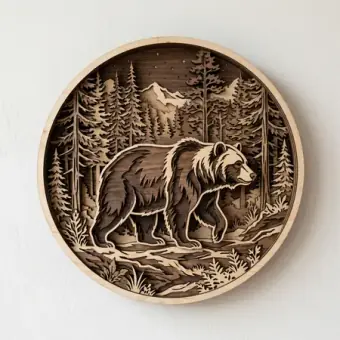
6-Layer 3D Forest Bear Mandala Wall Art
Precision multi-depth shadowbox wall sculpture with pine forests, mountain horizon, and wilderness wildlife silhouettes.
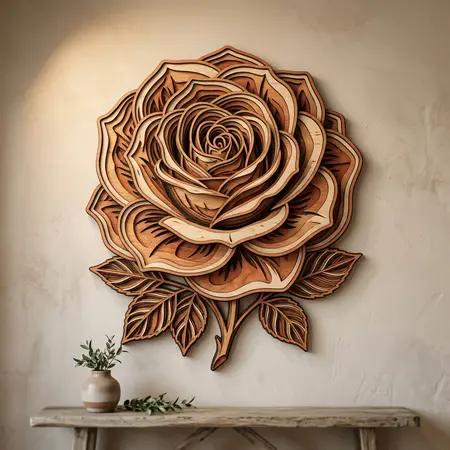
5-Tier Multilayer 3D Shadow Box Rose
Captivating multi-tier blooming rose mandala. Designed for stained wood layers or multi-colored cast acrylic.
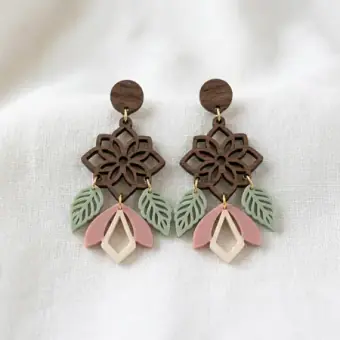
50+ Geometric & Floral Earrings Bundle
Huge collection of modern drop, teardrop, bohemian, and geometric earrings with pre-cut 1.5mm jump-ring eyelets.
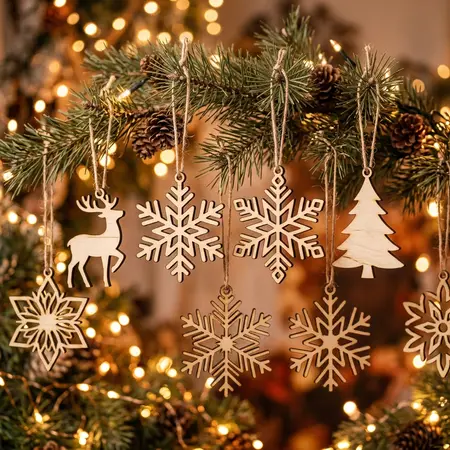
75+ Holiday Ornaments & Baubles Mega Pack
The proven holiday cash cow: intricate snowflakes, personalized family name baubles, reindeer silhouettes, and nativity scenes.
Need to turn your photo into a DXF cut file?
Use our browser-based AutoCAD R12 DXF converter. Converts PNG/JPG into clean closed polylines with millimeter scaling and zero watermarks.
Need to nest these parts onto raw sheets?
Stop throwing away offcuts. 0Machine True-Shape Nesting packs parts automatically and drops small elements into hollow holes to save 30% to 40% on sheet materials.
Unlock the Entire 300,000+ Laser Designs Vault
Gain instant lifetime access to 300,000+ commercial laser cutting and CNC vector files across 50+ categories: jewelry, 3D wall art, puzzles, boxes, furniture, and seasonal decors.
Frequently Asked Questions: Laser Cutting SVG Files: 300,000+ Clean Vector Designs
Will these SVG files work directly on Glowforge, xTool, and Omtech?
Yes. All SVGs are saved in standard W3C SVG 1.1 format with strict vector paths. They drag and drop directly into Glowforge App, xTool Creative Space (XCS), LightBurn, and LaserGRBL.
Are the cut paths closed vectors?
Yes. Every path is a closed loop, eliminating the annoying double-cuts or unclosed endpoints that ruin raw acrylic and wood sheets.
What layer colors are used for cutting vs engraving?
We adhere to industry standards: Pure Red (#EF4444) for primary perimeter cuts, Blue (#3B82F6) for secondary internal cuts, and Black (#000000) for raster or fill engraving.
How many files can I download?
With 0Machine Workshop Pro, you receive unlimited downloads across our entire 300,000+ vector catalog with zero per-file checkout fees.